Development layer
Youth sports tryout evaluation software
Score every player on the skills that matter by age, build balanced teams from the numbers, and have an answer ready when a parent asks why. Tryouts, evaluations, and rosters in one flow.
Pricing is sized to your program — tell us how you're set up and we'll walk through what fits.
Watch a tryout run
A tryout weekend, start to finish
Sixty kids on the field, six coaches with clipboards, and a stack of paper that somehow has to become a roster by Monday. Three minutes on how that actually goes — every screen below, in the order you'd hit them.
- Build the scoring sheet, set the fee and the payment plans, publish
- Families register themselves — verified, paid, numbered before anyone arrives
- Coaches score on paper in the cage; you photograph the sheets and they land scored
- Rank the field, invite or pass one player at a time, and send it all at once
- Families accept and pay that night — three rosters out of one tryout
How do you get players to your tryout?
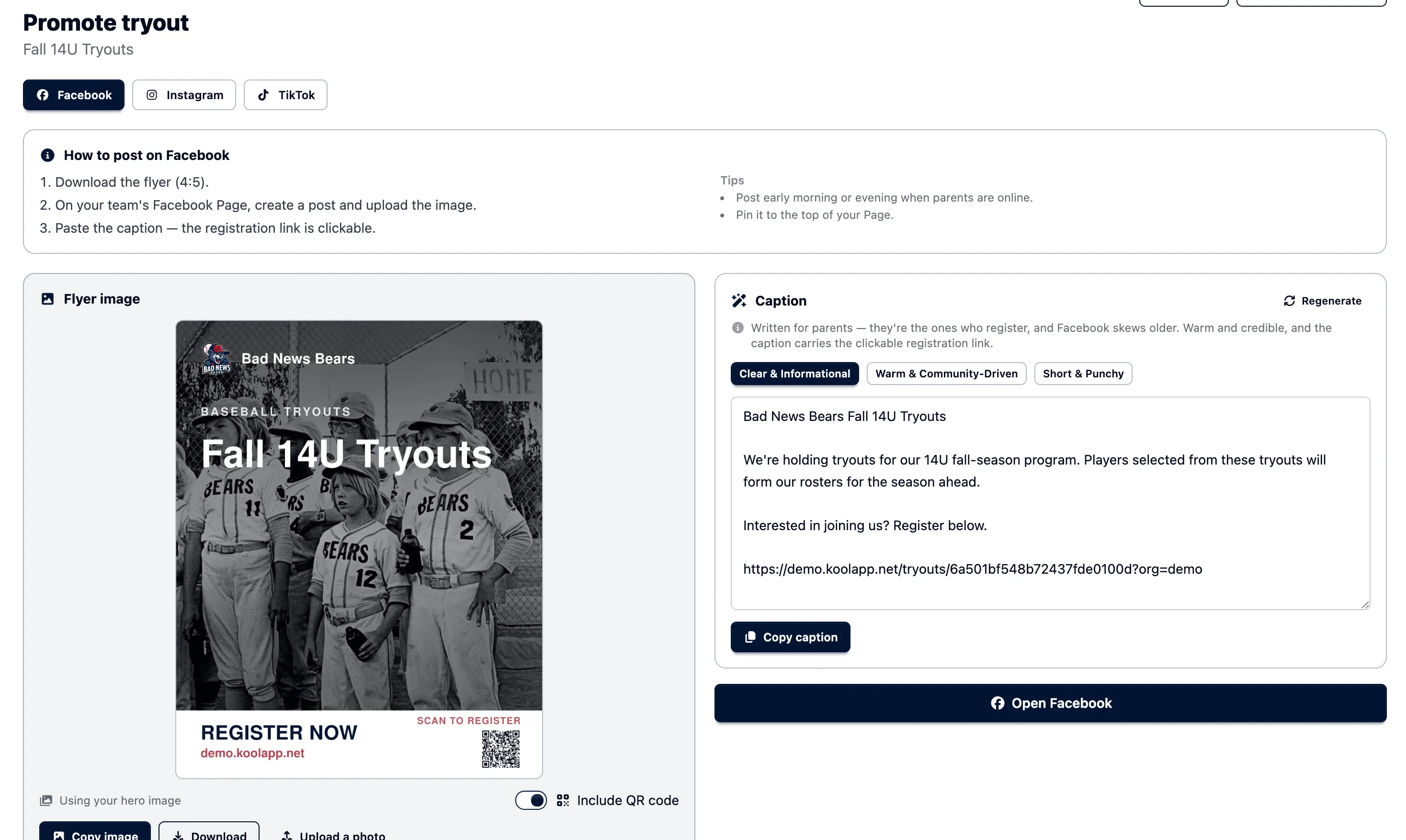
Turn any tryout into a ready-to-post promotion. OrangeSlice builds a branded flyer — your team's name and colors, with a scannable QR code — and writes captions for Facebook, Instagram, and TikTok, each carrying a clickable registration link. Pick a tone, copy, and post.
- A branded flyer generated for you, with a QR code straight to registration
- Captions written for Facebook, Instagram, and TikTok
- Choose the tone — clear & informational, warm & community-driven, or short & punchy
- One-tap copy, then open the app to post — registration link included
How do you make cuts defensible?
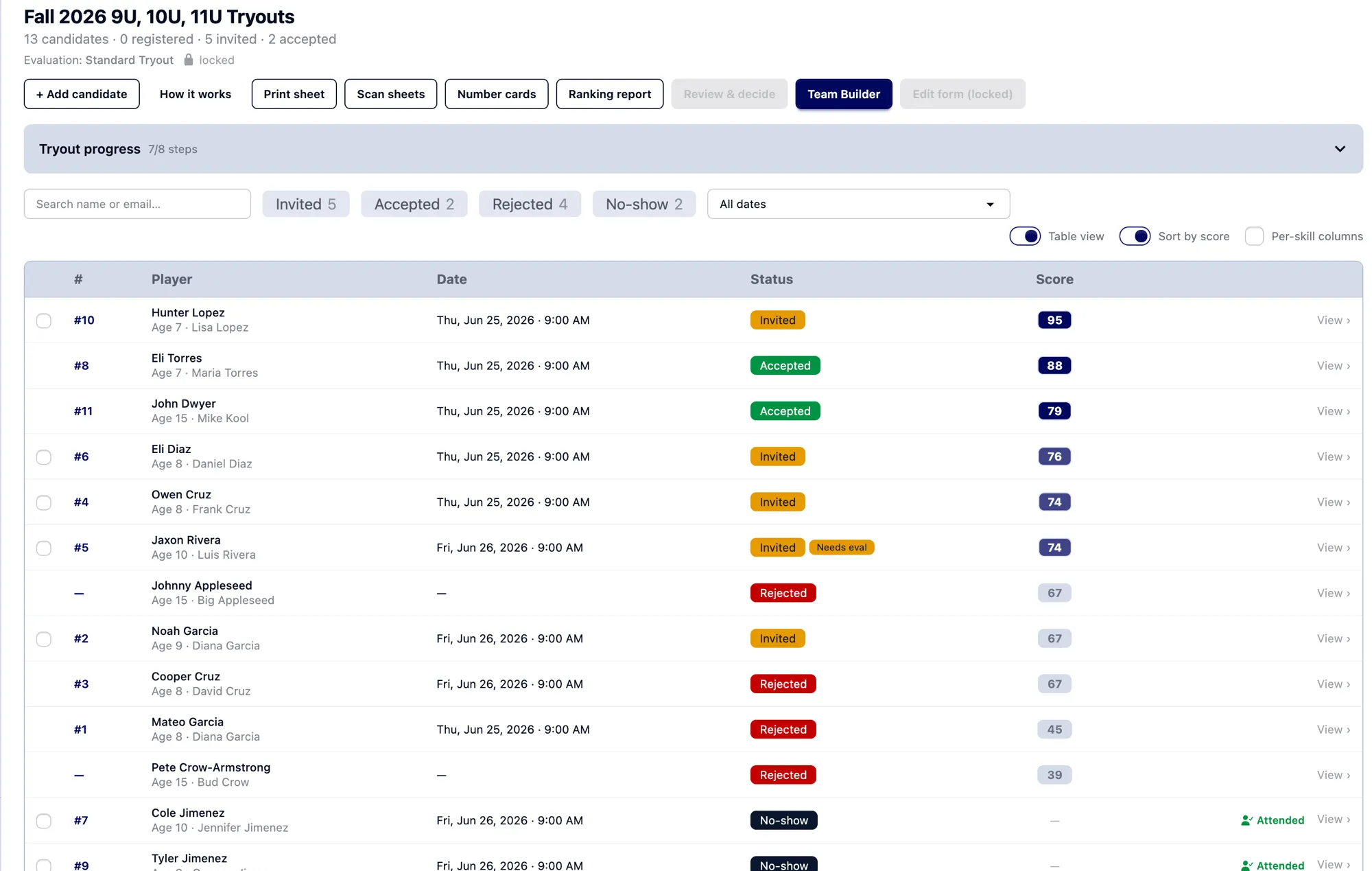
Score everyone on the same rubric. When placements come from consistent, recorded evaluations — not a gut call — you can explain any decision to any parent.
- Reusable evaluation templates ('tryout types') with your own skills and form fields
- Skill ratings on a developing / consistent / advanced scale, rolled into one score
- Age-calibrated baseball templates (≈9U–18U) out of the box
- Football, soccer, lacrosse, softball, and other team sports fully supported — build your own skills and age groups
- Candidate workflow: register → score → invite → accept → roster
- Optional fee collection via Stripe when a player joins
How do you decide who makes it?
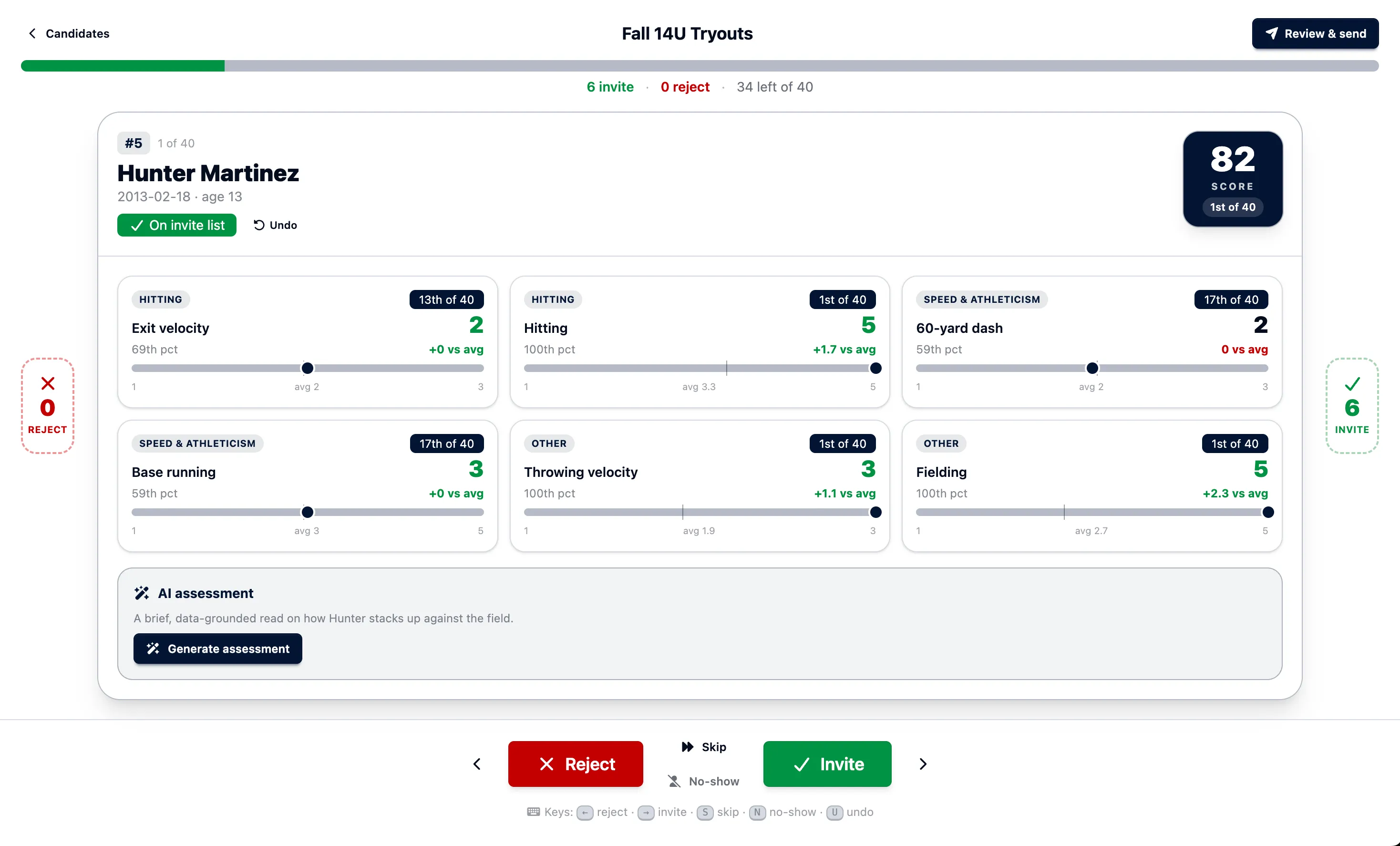
Go through candidates one at a time, each scored against the entire field — an overall rank, per-skill percentiles, and how they compare to the group average, all on one card. Invite, reject, or skip with a click or the arrow keys, and watch your invite list tally as you go.
- Candidates queued best-first, each with a clear overall score and rank
- Per-skill percentiles and vs-average deltas, side by side
- An optional AI read on how the player stacks up against the field
- Keyboard-fast decisions — invite, reject, skip, or undo without leaving the card
Can it build the teams too?
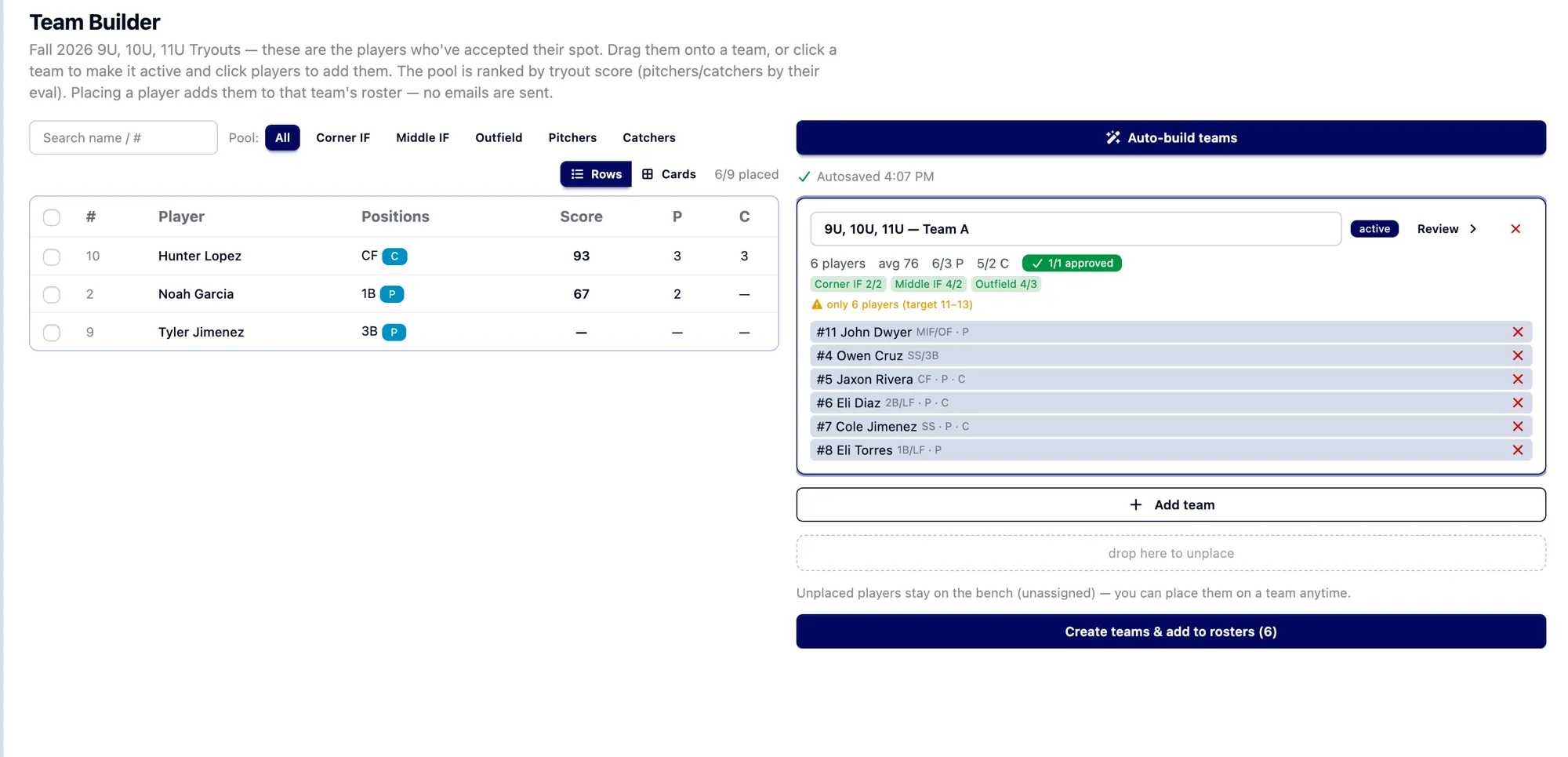
Yes. OrangeSlice drafts balanced teams from your evaluation scores, then hands you the controls to review and adjust before you finalize.
Frequently asked questions
- What is tryout evaluation software?
- It's a tool for scoring players at tryouts on a consistent set of skills, then using those scores to place them on teams. OrangeSlice adds reusable templates, numeric ratings, and AI-assisted team building so cuts and placements are fair and defensible.
- How does scoring work?
- Each player is rated on skill categories using a simple level scale — developing, consistent, advanced — that rolls up into an overall score and a percentile ranking against the rest of the group. Baseball templates come calibrated for age divisions from roughly 9U to 18U, so you're scoring the right things at each level. Football, soccer, lacrosse, softball, and other team sports use the same scoring engine, with skills and age groups you configure yourself.
- Can it build balanced teams from the scores?
- Yes. OrangeSlice can draft balanced teams from your evaluation scores, then let you review and adjust before anything is final.
- What happens after tryouts?
- Accepted players are promoted straight to a roster — no re-entering names — and you can collect a season or membership fee via Stripe as they join.
- Can I customize the registration form and skills?
- Yes. Tryout templates support custom form questions (text, email, phone, date, select, number, address) and your own evaluation skills, saved as reusable types.